Real Time Bank Transfer
You can capture the authorized amount in a single API request as depicted in the payment flow below.
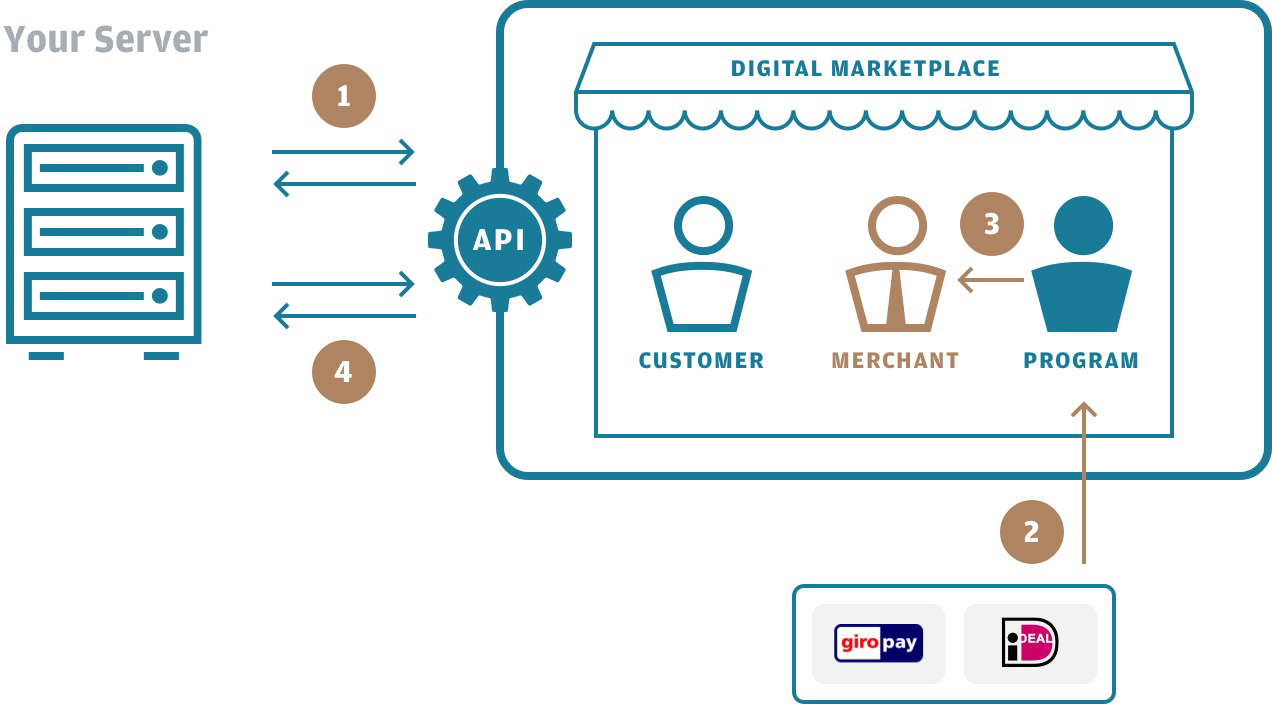
Send an API Capture Request
The previously authorized transaction is identified by the "uniqueReference". Set at most the same amount as initially authorized under the "modifiedAmount" parameter in the API method 1.29 Capture.
Capture Request
Path:
POST {baseURL}/payment/{uniqueReference}/capture
POST {baseURL}/payment/BNkk4BRkQEufPSvgf9lDwA/capture
Header:
application/json
Accept-Language: en-US
X-Auth-Token: eyJhbGciOiJSUzI1NiI{abbreviated}RW5kVG9rZW4=
{
  "partnerReference": "DEV-SVR001-DE_CUSTID-KD97TH2FP6_CARTID-PYQRTGMCMQ_Y98CGTK2CJ",
  "modifiedAmount": 3.99,
  "modifiedAmountCurrCode": "EUR",
  "localDate": "2018-10-22",
  "localTime": "172047"
}
Receive an API Capture Response
In the last step, the payment platform sends an API response with the status of the payment to your server.
Capture Response
Status Code:
200 (OK)
Header:
Content-Type: text/plain
Accept-Language: en-US
{
    "initiatorAccno": "1679541175",
    "accno": "1679797975",
    "uniqueReference": "BNkk4BRkQEufPSvgf9lDwA",
    "modifiedAmount": 3.99,
    "modifiedAmountCurrCode": "EUR",
    "processedAmount": 3.99,
    "processedCurrCode": "EUR",
    "custom1": "WVWZZZ3BZWE689725",
    "statusCode": "CAPTURED",
    "statusReason": "Request successfully processed in 'Merchant in Integrator Test Mode'",
    "partnerReference": "DEV-SVR001-DE_CUSTID-KD97TH2FP6_CARTID-PYQRTGMCMQ_Y98CGTK2CJ",
    "localDate": "2018-10-22",
    "localTime": "172047",
    "sysDate": "2018-10-22",
    "sysTime": "162048",
    "responseCode": "0000",
    "responseDescription": "Successful execution",
    "additionalInformation": {
        "requestId": "aff2728481a181dc36daedc14055b516"
    }
}
In the case of a successful completed Guest Payment the status code should return "CAPTURED" (see example above).
With that, the payment process is completed.